
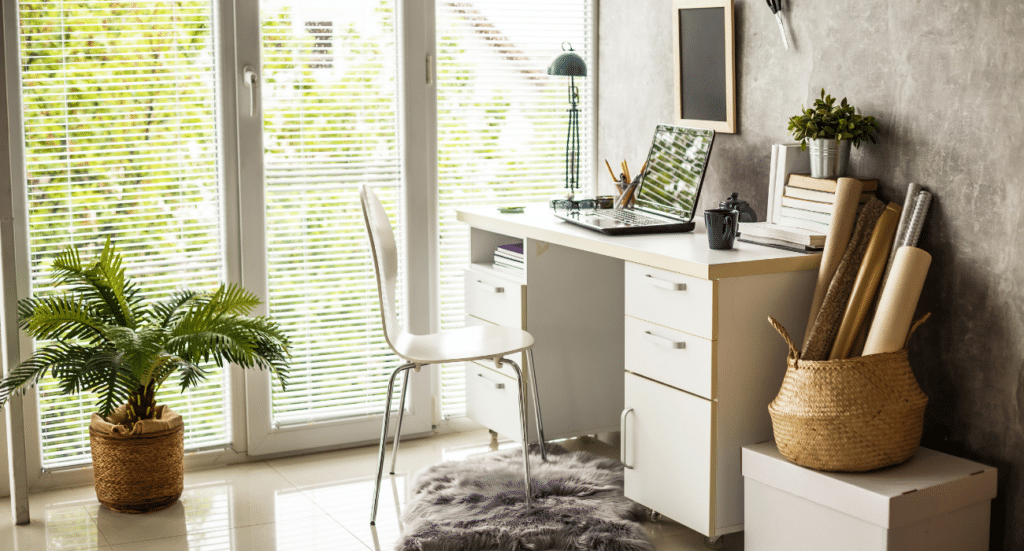
How to Thrive as a Remote Worker in a Rental: Setting Up the Perfect Home Office
Remote working has become a cornerstone of modern employment, and for many in New Zealand, it’s now a long-term reality. Whether you’re a digital nomad, a freelancer, or navigating a hybrid work arrangement, setting up a functional and inspiring home office is crucial to productivity and well-being. But what happens when you’re renting a small space? How do you create a home office that complies with rental restrictions and space limitations?
The key is to think creatively, optimize every inch of your rental, and choose innovative solutions that allow for both comfort and efficiency. Here’s how to thrive as a remote worker in a rental, even when space is tight.
Create Defined Work Zones (Even in Small Spaces)
One of the biggest challenges of working from home is separating your workspace from your living space, especially in a rental with limited square footage. Creating defined “work zones” is essential, even if you’re working from your living room or bedroom. The goal is to create a mental and physical divide between where you work and where you relax.
- Use room dividers Lightweight, portable dividers or even curtains can instantly create a designated workspace, giving you privacy and focus during work hours.
- Corner offices Utilise unused corners of larger rooms to create a work nook. Even a small desk and chair can transform a previously overlooked area into a productive space.
- Fold-away desks Consider purchasing a foldable desk. It’s a renter-friendly option that doesn’t take up valuable floor space and can be folded away when not in use..
Ergonomics First: Prioritise Comfort in Your Setup
It’s tempting to work from the couch or bed when space is tight, but in the long run, poor ergonomics can lead to discomfort, decreased productivity, and even health problems. Setting up a proper workspace with ergonomics in mind is critical.
- Invest in an ergonomic chair A supportive chair is a non-negotiable for remote working. Choose an adjustable chair that can provide proper back and neck support. Many renters forget that comfort is key to productivity, so splurge here if necessary.
- Elevate your screen If you’re working on a laptop, consider a laptop stand or an external monitor. This raises the screen to eye level, preventing strain on your neck and shoulders.
- Use a compact keyboard and mouse These small accessories can drastically improve comfort, allowing you to type and navigate without awkward positioning.
Storage Solutions that Maximise Space
Clutter can be distracting and overwhelming, especially when working from a small space. Implementing smart storage solutions is essential to maintaining a tidy, organised workspace.
- Vertical storage When floor space is limited, think vertically. Shelves or tall cabinets can store books, office supplies, and personal items without cluttering the floor. Roller door cabinets can also be a very effective option.
- Multifunctional furniture Furniture that serves multiple purposes, such as desks with built-in drawers or foldable desks with storage compartments, can help you keep essentials close while minimising space usage.
- Portable storage Use portable file cabinets or rolling carts to store work materials. These can be tucked away when not in use, giving you flexibility in managing your workspace.
Lighting is Key to Focus and Mood
Lighting can make or break your home office. Natural light is ideal for focus and mood enhancement, but when you don’t have large windows or the luxury of an office with a view, strategic lighting becomes essential.
- Natural light optimisation Position your desk near windows to take advantage of natural light when possible. Not only does it help you stay alert and focused, but it also provides a connection to the outdoors, which is vital for mental well-being.
- Task lighting A desk lamp with adjustable brightness can help reduce eye strain, especially during darker hours. Consider a lamp with a daylight setting to mimic natural light if your space is dim.
- Ambient lighting Avoid harsh overhead lighting. Soft, ambient light can create a calming environment, helping to reduce stress and improve focus. Use floor or table lamps to create a balanced, welcoming workspace.
Personalise Without Permanent Changes
One of the challenges renters face is making a space feel personal and inspiring while adhering to restrictions on permanent changes. But just because you’re in a rental doesn’t mean your home office has to feel impersonal.
- Removable wall art and decals You can add personality to your space with removable wall decals, posters, or tapestries. These are easy to install and remove, leaving no trace when your lease ends.
- Plants for freshness Incorporating plants into your workspace can boost productivity and creativity while purifying the air. Even in a small space, a few potted plants on your desk or hanging from the wall can make a big difference.
- Accessorise with functional decor Use beautiful storage boxes, stylish desk organisers, or unique lamps to bring character to your workspace. This is a way to add colour and personality without violating rental agreements.
Get Creative with Noise Control
One of the downsides of working remotely in a rental, particularly in a shared living space or apartment, is noise. Distractions from roommates, neighbours, or street noise can quickly derail your focus.
- Noise-cancelling headphones Investing in a quality pair of noise-cancelling headphones can be a lifesaver, allowing you to tune out distractions and focus on your work.
- Soundproofing hacks While renters can’t install permanent soundproofing, you can add rugs, curtains, and fabric-covered panels to absorb noise. Even something as simple as placing a bookshelf against a shared wall can help dampen sound.
- White noise machines or apps These can provide a consistent background sound that helps mask distracting noises and improve concentration.
Be Mindful of Your Work-Life Balance
One of the biggest challenges for remote workers is knowing when to switch off. When you work from a rental where space is limited, it can feel like there’s no separation between work and home life. Creating clear boundaries is essential for both your productivity and mental health.
- Set office hours Establish a clear work schedule and stick to it. This helps you mentally switch off after a day’s work, preventing burnout.
- Pack away your work If your office is a shared space, consider packing away your work setup at the end of the day. This can be as simple as closing your laptop and tucking it into a drawer, or folding up your desk to reclaim the room.
- Create a wind-down routine After work, engage in a brief routine to signal that the workday is over—whether going for a walk, reading or preparing dinner. This helps you unwind and establish a clear boundary between your workday and your personal time.
Creating the Ideal Home Office in a Rental
Setting up a productive and inspiring home office in a rental doesn’t have to be a challenge. You can create a workspace that enhances productivity and well-being by thinking creatively and utilising renter-friendly solutions. Whether you’re dealing with limited space, noise, or the restrictions of a lease, the right approach will help you thrive as a remote worker while enjoying the flexibility of renting.
Working from home is here to stay, and with the right setup, your rental can be more than just a temporary space—it can be the foundation for your professional success and personal well-being.